
F.A.Q.
We know that buying a pool cover raises a lot of questions. That’s why we’ve put together the answers to the most frequently asked questions about the Coverseal, its installation, maintenance and much more.
You will find them below, classified by theme or accessible via the quick search.
General Information
No. All Coverseal models offer the same level of excellence in terms of safety, protection and reliability. The difference lies in the way they are used and the options that distinguish them, in order to meet the expectations and lifestyle of each owner. Our Automatic model is easily controlled from a smartphone for maximum comfort and quick opening/closing. Our Semi-Automatic model, meanwhile, is equipped with a portable control unit that can be recharged from an electrical outlet, offering up to fifteen cycles of use before recharging.
Coverseal pool covers fit almost any pool model, regardless of shape or size. However, some parameters may prevent the installation of a Coverseal pool guard.
– A concave support
– A slope towards the inside of the pool
– Certain supports (hollow composite, slope > 4%, etc.)
Our technical department will be happy to assist you and answer your questions.
Yes, a Coverseal can be installed on most supports, including concrete, as long as it is in good condition and stable to ensure durable fixation. We offer two types of rails to ensure optimal installation: the standard rail and the all-surface rail. Depending on the flatness of your concrete surface, our team will determine the most appropriate solution to maximize the strength and performance of your installation over time.
Yes, a Coverseal can be installed on most supports, including wood, provided that it is sufficiently durable and solidly anchored so as not to deform or move over time. We offer two types of rails to ensure perfect fastening: the standard rail and the all-surface rail. Depending on the nature and density of your anchoring surface, our technical team will select the most suitable solution to ensure the longevity and performance of your installation.
Yes, it is quite possible to install a Coverseal on clinkers, provided that they are well laid, stable and do not show any movements or sagging. To ensure safe and durable anchoring, we have two rail systems: the standard rail and the all-surface rail. The latter has been developed for irregular anchoring surfaces such as clinkers and will, therefore, ensure the performance and durability of the installation.
Yes, it is possible to place a Coverseal on edge bricks, provided that they are securely sealed and have a stable surface. This ensures good hold of the fixation over time. In this case, with edge bricks, the all-surface rail is preferred to guarantee a safe and durable attachment.
Yes, the installation of a Coverseal on a natural stone surface is perfectly feasible, provided that the slabs are well fixed and stable. This ensures secure anchoring and prevents any movement that may alter the fixation over time. We offer two types of rails to fit the surface of your deck: the standard rail, used on flat surfaces, and the all-surface rail, preferred for uneven surfaces. Our technical teams will determine the most appropriate solution to ensure the robustness and longevity of your installation.
Yes, the installation of a Coverseal on a solid composite support is possible, provided that the structure is stable and properly attached so as not to deform over time. We offer two rail solutions, standard and all-surface, to suit the characteristics of your support. In this specific case of a solid composite terrace, the all-surface rail is preferred to ensure optimal attachment to this surface.
Yes, the installation of a Coverseal on stoneware is quite possible, provided that the surface is stable and laid to prevent any movement or detachment over time. We offer two rail systems, standard or all-surface, to ensure reliable anchoring. Depending on the flatness of your tile, our technical team will select the most appropriate technique to ensure the strength and durability of your cover.
Yes, our Product is designed with the highest safety standards in mind. Nevertheless, it is a safety cover and not a playground. We therefore strongly advise against letting children, adults or animals walk on the membrane, use it as a trampoline or use the trim as a diving board at the risk of damaging it.
Unlike most motorized shelters or pool shutters that require power work, the Coverseal 4-Season Pool Cover operates autonomously. In the Automatic version, the energy necessary for operation of the Coverseal is produced by solar panels that directly charge the integrated batteries. In the Semi-Automatic version, it’s possible to recharge the batteries present in the control box independently by an outlet in your home. Coverseal can also install an indoor pool cover, either by means of the Semi-Automatic model without providing a power supply, or with the Automatic model by providing an incoming feed. Regardless of the model chosen, you preserve the quality of your water, optimally secure your pool and achieve significant energy savings.
Like any material exposed to UV, the membrane may undergo slight discolouration over time. This phenomenon, although natural, will be more pronounced on dark membranes.
The trim of the cover, meanwhile, is powder-coated. The paint is, therefore, very resistant over the long term and suited to the environment of the pool. However, just like a car body, there can be slight discolouration with sun exposure. It is also possible to find trims with more specific finishes, namely a “mirror effect” or “metal effect”. In this case, the trim is made using composite panels. It is also a product that will go through the years without losing its quality.
Unlike other protection products, the Coverseal pool cover does not require any special intervention as winter approaches. Once installed, it remains fully functional without the addition of specific equipment for wintering. The only precaution: maintain the usual water level, so that it supports the membrane in case of heavy snowfall. This principle preserves the cover from any excessive stress. A true 4-season product, Coverseal retains its elegance throughout the year and effectively protects your pool. In the spring, you enjoy preserved water: no clumps of leaves and limited photosynthesis!
Coverseal effectively limits photosynthesis, thus preserving the purity and balance of the water. By reducing the pool’s exposure to sunlight and impurities, it maintains more stable water indices, for water that is more pleasant to the touch and visually flawless. This optimal protection also allows you to reduce the use of treatment products, which are often expensive, not very ecological and irritating to the skin, while prolonging the pleasure of healthy and comfortable swimming.
To the eye, the membrane presents impeccable tension, with only a slight technical bend of about 1 cm per meter of width. This tension, combined with centrally located drain holes, prevents any water stagnation, thus limiting the accumulation of dirt. Leaves deposited on the membrane are easily swept away by the wind. Over time, the membrane retains its perfect hold, the initial bend does not increase. In areas with extreme weather conditions, it is even more important to maintain a normal water level so that the water supports the membrane during heavy snowfall and preserves its aesthetics.
Yes, your pool stays clean once protected with a Coverseal cover. Unlike submerged or above-ground shutters, our cover does not plunge into the water: its stretched membrane acts as a barrier against external dirt.
Leaves, dust or other impurities do not stagnate on the surface, they are naturally swept away by the wind, avoiding the formation of dirty puddles as is often the case with a conventional tarpaulin. Result: cleaner water, longer, with less maintenance.
Delete and reinstall the mobile app: When launching it for the first time, allow Bluetooth access. The cover can only be connected to one phone at a time.
Connect near your cover: If an update is available, the app will guide you step by step. Follow the on-screen instructions. You may need to unplug and reconnect the power cables. If the step “Firmware installation” or “Cover verification” loops for more than 2 minutes, follow these steps:
-
Fully close the app,
-
Unplug both black power cables,
-
Wait 5 seconds,
-
Plug the cables back in, making sure they’re properly inserted,
-
Relaunch the app and repeat step 2.
The “Cover verification” phase may no longer appear — this is normal and means the board has restarted correctly. If the update still fails or the issue persists, please contact our technical support team.
No. Each Coverseal cover is completely custom-designed, according to the specifics of your pool, your environment, and your aesthetic preferences. No predefined format: each configuration is customized in every detail, to guarantee perfect integration and optimal protection without compromise. This approach not only optimizes the safety and performance of the system, but also preserves the visual harmony of your exterior. The Coverseal adapts to your space without being imposing.
Check the power supply: open the side hatch and make sure the power connections (black cables) from the solar panel (lower cable) and the battery (upper cable) are properly plugged in. If the cover still cannot be found in the app or doesn’t move, proceed to the next step.
Reinstall the mobile app: delete and reinstall it. When opening it for the first time, allow Bluetooth access. Make sure only one phone is connected to the cover, and connect while standing near it. Your cover may require an update. In that case, a banner will appear in the app. A board restart may also be necessary, simply unplug and replug the cover’s power cables. Refer to the attached vidéo for guidance.
Test without solar power: unplug the solar panel cable (lower black cable). Then try using the wired control or the Open/Close buttons:
-
If the buzzer remains silent, the fuse is likely the issue (go to the next step).
-
If the buzzer beeps but the cover remains still or moves erratically, the battery is probably the issue.
Replace the fuse:
-
Version with 1 fuse: unplug both black cables, open the electronic box with a small screwdriver, and replace the fuse with the supplied 20A one (included in the box). Plug back in, test the cover over 1 meter using the buttons or wired control, then reconnect via the app if everything works. Plug back in and test again.
-
Version with 2 fuses: open the side hatch and unplug both black power cables. First, check the battery fuse (bottom one) and replace it if it’s damaged. Plug in and test. If the issue persists, check the motor fuse (top one), replace it if needed, then reconnect the cables and relaunch the app.
If the problem persists after completing all these steps, please contact your installer.
There are 2 types of rails, namely standard rails and all-surface rails. In most cases, the standard rails are installed. Their 36 mm wide by 10 mm high profile has been specially designed to remain discreet and integrate harmoniously with the pool environment. However, there is another type of rail, namely the all-terrain rail, that can be adapted to supports that lack density or flatness. In addition, the rails are never empty: the belt is always integrated, guaranteeing maximum safety and avoiding any risk of unpleasant contact.
The photovoltaic panel(s) remain efficient regardless of weather conditions. However, in countries where the brightness is particularly low or limited during the day, especially on short days in Scandinavia, it is possible to install an additional panel to guarantee perfect autonomy. At Coverseal, we are convinced that the climate must never compromise the use, safety or protection of your pool.
Coverseal is a bespoke 4-season pool cover, designed to provide optimal and long-lasting protection for your pool. Combining technology, design and ease of use, it guarantees clean and preserved water throughout the year, while enhancing your outdoor space. A high-end product that combines safety, aesthetics and everyday comfort.
The expected life of the batteries on the Automatic and Semi-Automatic models is about 4 to 6 years under normal conditions of use. However, during exceptional weather conditions (very high or very low temperatures), the service life of these batteries may be degraded. For Automatic models equipped with a winterization switch (previous version to 2025), it is important not to forget to set it to “off” from 1 September to 1 May. During this period, as there is insufficient sunlight, the batteries could then fall into deep discharge and they would have to be replaced.
Unfortunately, too many factors are taken into account to establish an accurate theoretical calculation of the insulation value of the Coverseal (delta T°, air mass trapped under the membrane, wind, rain, etc.). Therefore, it is not possible to quantify it, but the Coverseal ensures an almost perfect seal, blocking almost all evaporation. This significantly reduces heat loss, which leads to real energy savings and limits the need for water filling, for more sustainable and economical management of your pool.
Lifts are an option available on the Automatic model, the primary purpose of which is to allow the Coverseal to overcome larger obstacles effortlessly, while optimising the tightness of the cover. Lifts help preserve water quality by limiting the intrusion of impurities and conserving heat. Beyond their technical function, they also offer an elegant finish: the cover is delicately placed on the ground in a fluid and discreet gesture that demonstrates the high-end quality of your installation. Distinctive detail: an Automatic model equipped with lifts can be recognized by its square box, as opposed to a rectangular shape for the version without lifts.
Coverseal pool covers are designed with premium materials. The wear of the membrane depends mainly on climatic conditions, the maintenance provided and the daily use. It can therefore be estimated that a membrane replacement will be necessary after 10 to 12 years, depending on the environment and climate of the country where the Coverseal is installed (frost, snow, extreme heat, sand-laden wind, etc.). An essential point, however, is regular cleaning of the rails. Indeed, the presence of sand or abrasive particles in the rails can accelerate the wear of the mechanical parts and, ultimately, the membrane.
Coverseal pool covers have been manufactured in Belgium for more than 15 years and have globally recognized patents. They are commercialised by many Partners in different European countries (Belgium, Netherlands, Luxembourg, France, Spain, Italy, Switzerland, Germany, Austria, Norway,etc.) as well as in the Middle East and the United States. When manufacturing your pool cover, the climatic conditions of the pool cover installation will be taken into account. High or low temperatures, frost or heavy snowfall are all factors that Coverseal has taken into account when designing its Product. Thus, your pool is protected throughout the year and regardless of its location.
A winter cover protects your pool in cold weather, but it remains a seasonal solution, designed above all for stopping use. The Coverseal, on the other hand, is a four-season system that offers optimal protection all year round. Thanks to its membrane stretched over the water, it prevents leaves, dust and other debris from polluting the pool, limits photosynthesis and preserves water quality. It also retains the accumulated heat and enhances the safety of your swimming area. In other words, while the winter tarpaulin plays a limited role, the Coverseal combines aesthetics, performance and durability throughout the year.
Unlike a submerged or above-ground pool shutter, the Coverseal is a true 4-season product. It provides optimal protection all year round, offering more cleanliness, safety and insulation than any shutter on the market. While a shutter floats directly on the water, inevitably letting leaves and debris fall back into the pool when it opens, the Coverseal, stretched over the edges, protects your pool from impurities.
Compared to a shutter with solar blades, the difference is in the insulation: while the blades can significantly increase the temperature of the water, the Coverseal traps the accumulated heat without requiring additional protection. Finally, its design severely limits photosynthesis, thus preserving water quality and reducing the use of treatment products that are often expensive, unfriendly to the environment and irritating to the skin.
Choosing a Coverseal means offering yourself high-end protection that combines safety, performance and elegance. Its innovative design effectively protects water from dirt and temperature variations, while reducing the consumption of water, energy and cleaning products. Easy to use and perfectly integrated into your environment, it ensures optimal comfort throughout the year, for a pool that is always clean and ready to use at any time.
Opting for a Coverseal also means choosing a Belgian company that places innovation at the heart of its know-how and favours the short circuit by collaborating with trusted local Partners.
Unlike a swimming pool enclosure, a Coverseal offers real comfort in everyday use. Certainly, some shelters allow you to swim underneath them, but their handling is much less practical. In addition, a shelter is often voluminous and imposes its presence, while a Coverseal, thanks to its minimalist and 100% customizable design, blends harmoniously into your environment. It also limits photosynthesis, which preserves water quality, significantly reduces the use of chemicals, and allows you to enjoy healthier water.
Practical questions
Delete and reinstall the mobile app: When launching it for the first time, allow Bluetooth access. The cover can only be connected to one phone at a time.
Connect near your cover: If an update is available, the app will guide you step by step. Follow the on-screen instructions. You may need to unplug and reconnect the power cables. If the step “Firmware installation” or “Cover verification” loops for more than 2 minutes, follow these steps:
-
Fully close the app,
-
Unplug both black power cables,
-
Wait 5 seconds,
-
Plug the cables back in, making sure they’re properly inserted,
-
Relaunch the app and repeat step 2.
The “Cover verification” phase may no longer appear — this is normal and means the board has restarted correctly. If the update still fails or the issue persists, please contact our technical support team.
Check the power supply: open the side hatch and make sure the power connections (black cables) from the solar panel (lower cable) and the battery (upper cable) are properly plugged in. If the cover still cannot be found in the app or doesn’t move, proceed to the next step.
Reinstall the mobile app: delete and reinstall it. When opening it for the first time, allow Bluetooth access. Make sure only one phone is connected to the cover, and connect while standing near it. Your cover may require an update. In that case, a banner will appear in the app. A board restart may also be necessary, simply unplug and replug the cover’s power cables. Refer to the attached vidéo for guidance.
Test without solar power: unplug the solar panel cable (lower black cable). Then try using the wired control or the Open/Close buttons:
-
If the buzzer remains silent, the fuse is likely the issue (go to the next step).
-
If the buzzer beeps but the cover remains still or moves erratically, the battery is probably the issue.
Replace the fuse:
-
Version with 1 fuse: unplug both black cables, open the electronic box with a small screwdriver, and replace the fuse with the supplied 20A one (included in the box). Plug back in, test the cover over 1 meter using the buttons or wired control, then reconnect via the app if everything works. Plug back in and test again.
-
Version with 2 fuses: open the side hatch and unplug both black power cables. First, check the battery fuse (bottom one) and replace it if it’s damaged. Plug in and test. If the issue persists, check the motor fuse (top one), replace it if needed, then reconnect the cables and relaunch the app.
If the problem persists after completing all these steps, please contact your installer.
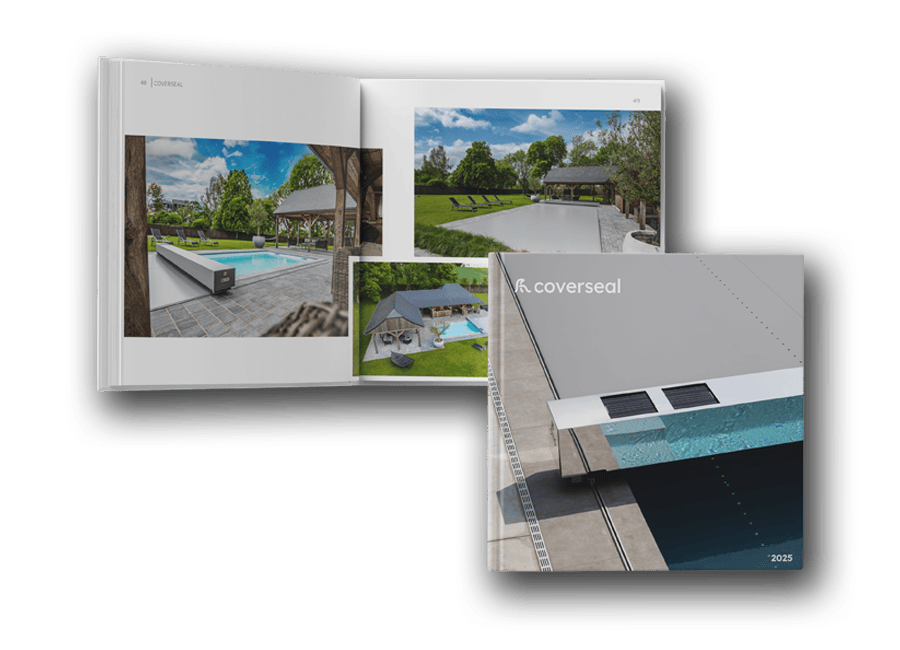
Request your catalogue
"*" indicates required fields